
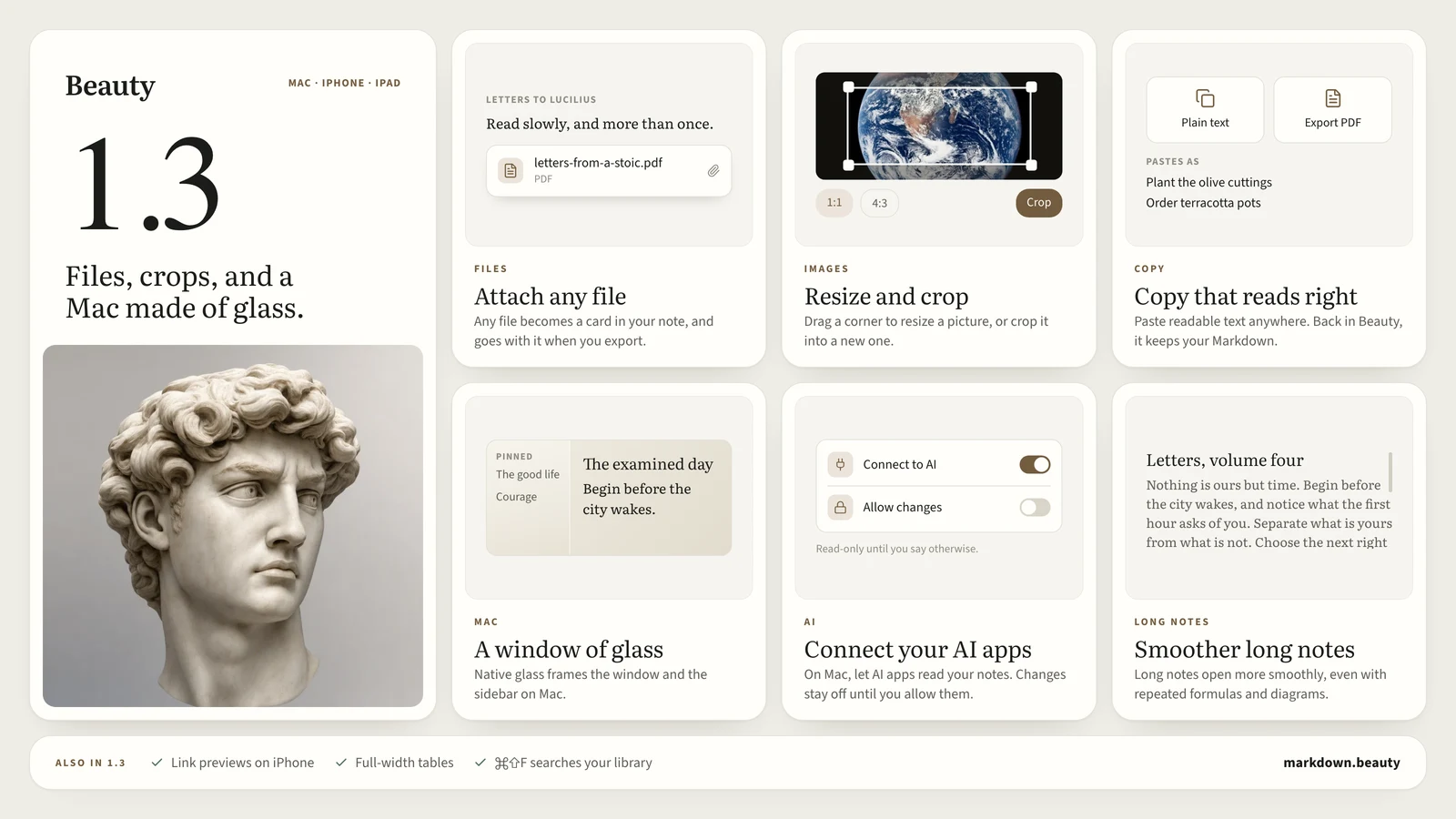
Attach any file
Notes have always held text and pictures. Now they hold any file. Drop in a PDF, a spreadsheet, a recording, anything, and it becomes a card in your note: open it, download it, copy its name, or drag it to another line. Each file is kept with your notes, written as an ordinary Markdown link, and it goes with the note when you export.
Resize and crop pictures
Drag a corner to resize a picture where it sits. Or crop it into a new one, with the ratio you want, without leaving the note. On iPhone, a photo you insert takes its place on the page at once, so the note stays steady while it loads, and tapping a picture opens a viewer that returns to the same spot when you close it. On the Mac, a stored picture opens in Preview.
Copy that reads right
Copy now puts readable text on the clipboard: no hashes, asterisks, or link syntax, with lists as bullets and tables as rows. Paste it back into Beauty and your Markdown returns exactly as you wrote it, tasks and code blocks included. Copy & export is now one sheet of tiles: copy as plain text or as Markdown, or export a PDF, an HTML page, or a Markdown file, with the note's word count on top and a check on the tile you used.
A Mac window made of glass
On the Mac, the window and the sidebar are framed in native glass, with a canvas toned to sit inside them.
Connect your AI apps
On the Mac, you can connect the AI apps on your computer to your notes and tasks. You choose which app to connect. Give it read-only access or allow it to make changes. Beauty stores the originals on your Mac as plain Markdown files. The AI app you connect can read the notes you ask it to use.
Long notes, lighter hands
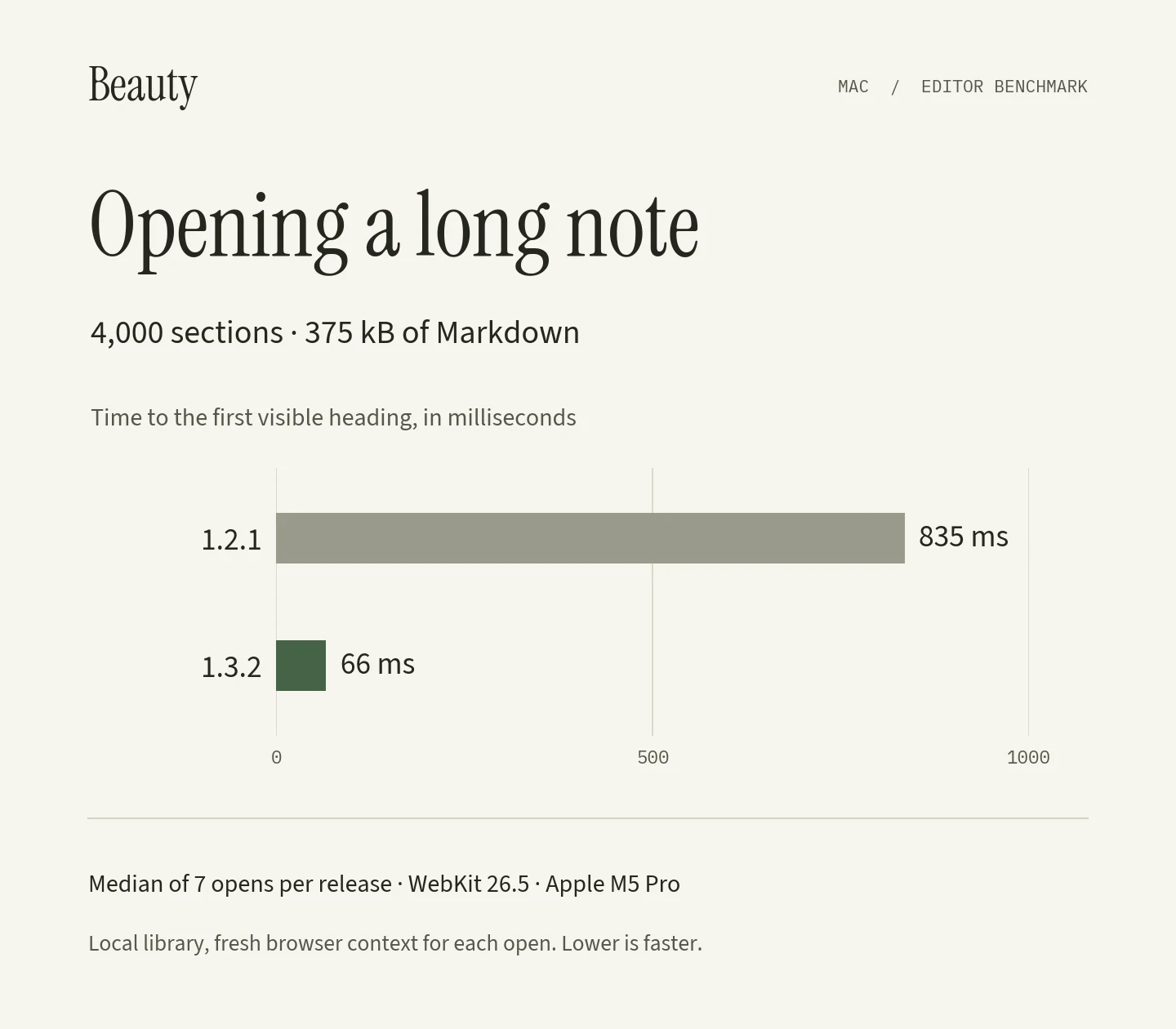
Notes with repeated formulas, code blocks, and diagrams open more smoothly. We also tested a 375 kB Markdown note with 4,000 sections. From a click in the library to the first visible heading, the median fell from 835 ms in Beauty 1.2.1 to 66 ms in 1.3.2.
With Beauty Maximus, iCloud sync now recovers from stalled requests and shows when edits are still being sent.
And the details
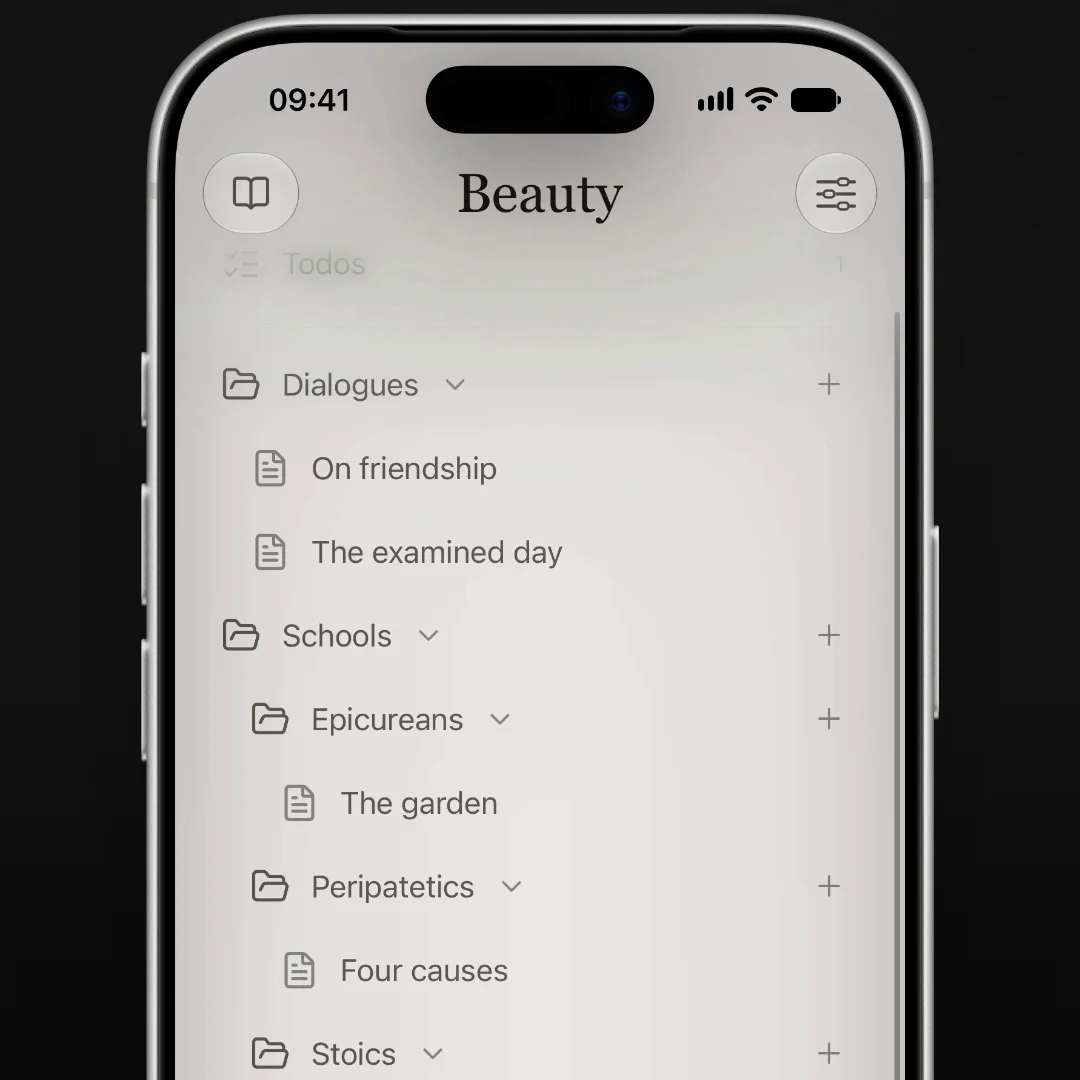
Tap a link on iPhone or iPad and a sheet previews where it goes before you edit it. Tables can run full width, past the text. Cmd+Shift+F searches your library from anywhere on the Mac. While iCloud is at work, a quiet "Syncing" appears under Beauty’s name. A long note's name fades at the edge of the toolbar instead of being cut off, and on iPhone the library blurs gently under the navigation bar as you scroll.
Get Beauty 1.3
Beauty 1.3 is a free update on the App Store for Mac, iPhone, and iPad. There is no account to make, and your notes stay on your device. For every change, see the changelog.